
Shape palettes used by Tableau.
Usage
tableau_shape_pal(
  palette = c("default", "filled", "proportions"),
  unicode = FALSE
)Value
A palette function. It takes the number of shapes n and returns an integer vector of n
shape (pch) codes, and can be used as the palette argument of
ggplot2::discrete_scale().
Details
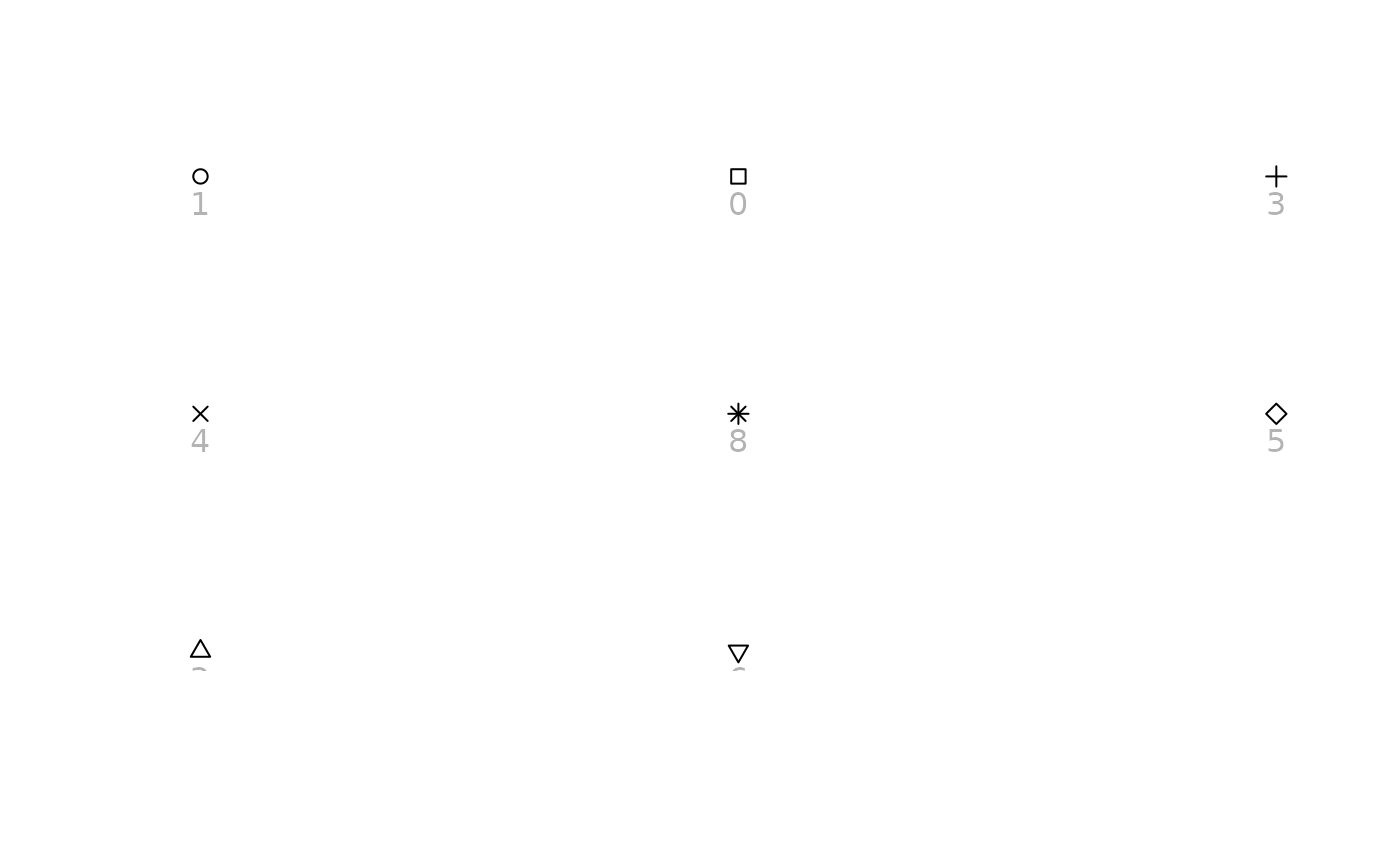
Not all shape palettes in Tableau are supported, and these palettes are not exact.
Shape palettes in Tableau are used to expose images for use as markers in charts, and thus are sometimes groupings of closely related symbols.
Note
Supported values by palette: "default" eight (ten with
unicode = TRUE), "filled" six (ten), "proportions"
two (five). Shapes with no base pch equivalent – the sideways triangles,
the solid star, and the partially filled circles – are dropped rather than
approximated by a different shape.
"proportions" encodes fill fraction, which base pch cannot
express at all, so only its empty and full circles survive; they remain
meaningful as a two-value scale. To encode a proportion, map alpha
or fill instead, or use unicode = TRUE with a font covering
Geometric Shapes, such as DejaVu Sans.
See also
Other shapes tableau:
scale_shape_tableau()
Examples
# The eight shapes with a font-independent equivalent.
show_shapes(tableau_shape_pal()(8))
 if (FALSE) { # \dontrun{
# All ten, drawn from the device font. Needs a font covering Geometric
# Shapes, such as DejaVu Sans.
show_shapes(tableau_shape_pal(unicode = TRUE)(10))
} # }
if (FALSE) { # \dontrun{
# All ten, drawn from the device font. Needs a font covering Geometric
# Shapes, such as DejaVu Sans.
show_shapes(tableau_shape_pal(unicode = TRUE)(10))
} # }